How to Create an Online Course and Where to Sell It
Author
Grow-App
You can create an online course in five steps: pick a narrow topic for a specific person, write an outline, record short lessons, set a price, and sell it first to people who already know you. You can sell it on a course marketplace (such as Udemy), on a ready-made online course platform (Teachable, Thinkific, Kajabi) or on your own platform under your own brand. For a first course, a ready-made platform is enough for most teachers. Your own platform pays off when you sell to companies, issue certificates, work with several instructors or want to combine the course with a community and one-to-one sessions.
This article is for trainers, coaches and experts who keep explaining the same things over and over. And for language schools, driving schools and companies that teach their customers how to use a product. We go from idea to first sale, and at the end we compare where to sell.
Step 1: Which topic will actually sell?
The most common mistake is a topic that is too broad. "English" or "marketing" is hard to sell because the internet is full of free material. People pay for a specific result in a specific situation:
- not "English" but "English for job interviews in 4 weeks",
- not "Excel" but "Excel for bookkeepers: month-end close without the stress",
- not "The Highway Code" but "Passing the theory test: the questions people fail most often".
You can spot a good topic because people already ask you about it. Go through your emails, messages and questions from sessions. What do you explain most often? That is your first course.
Quick check: finish the sentence "After this course you will be able to…". If you can't do it in one sentence, the topic is still too broad.
Step 2: How to write a course outline
The outline is the skeleton of the course. Start at the end: where should the student be after the last lesson? Then list the steps that get them there.
- Split the course into 3 to 6 modules. Each module is one bigger step, such as "Preparation", "First solution", "Common mistakes".
- Put 3 to 8 lessons in each module. One lesson, one idea.
- Add a task to every lesson. An exercise, a checklist, a short quiz. Without practice, students leave with an impression rather than a skill.
- Cut. Anything that doesn't lead to the promised result belongs in a different course.
A smaller course that people finish brings you more referrals than a big one they abandon halfway through.
Step 3: How to record lessons without a studio
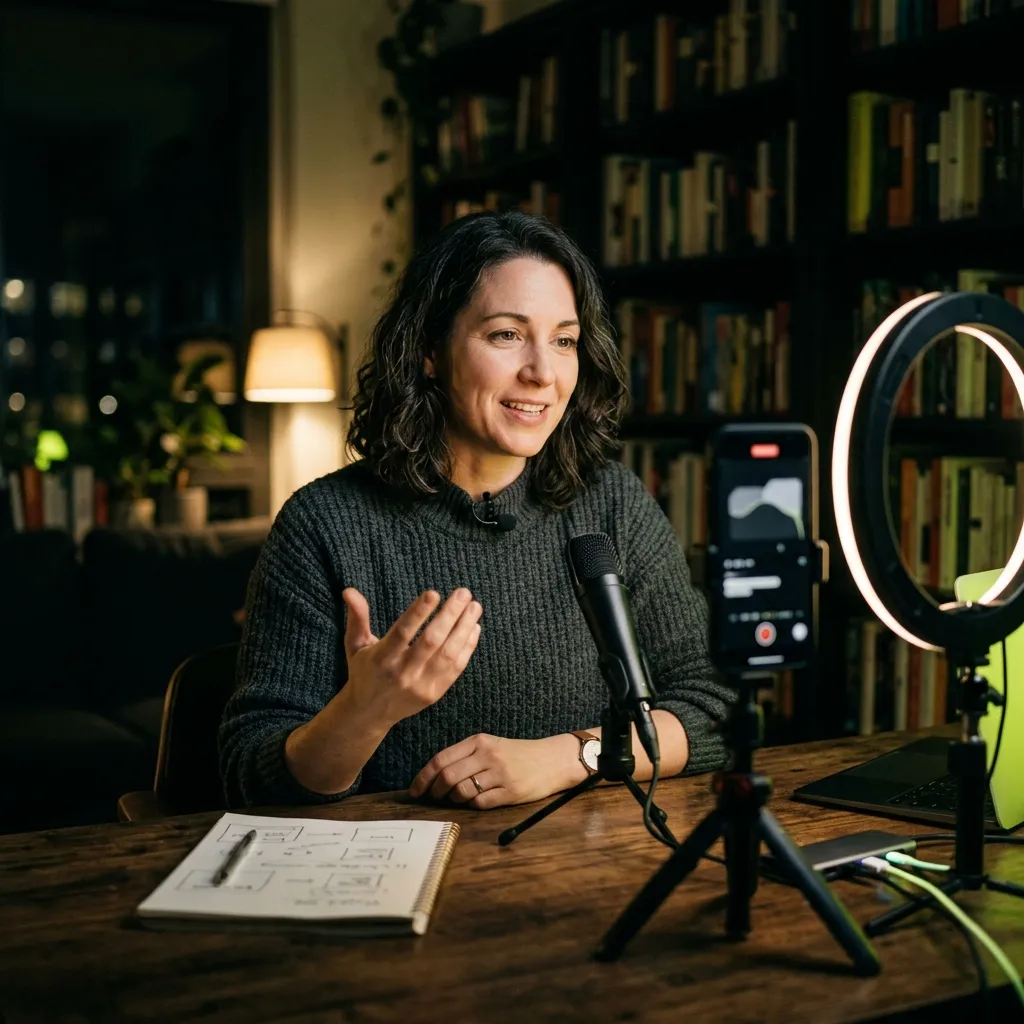
You don't need a studio or a camera operator for your first course. This is enough:
- a phone or webcam on a tripod, at eye level,
- a clip-on microphone (sound matters more than picture; people won't put up with bad audio),
- window light in front of you, not behind you,
- screen recording if you are demonstrating work in software.
Keep lessons short, ideally 5 to 15 minutes. Short videos are easier to watch on a phone, on the bus or over lunch, and easier to redo later. Don't script every word; a bullet-point outline per lesson is enough. Speaking naturally comes across as more trustworthy than reading.
Give every lesson something students can take away: a PDF summary, a template, a worksheet. These materials often sell the course more than the videos do.
Step 4: How much should you charge for an online course?
Don't price by hours of video; price by the value of the result. A course that helps someone pass an interview or saves a bookkeeper two days a month can cost more than a longer course that is merely "interesting".
Practical rules:
- Compare with a private session. The course should cost less than the same content taught one-to-one, but not bargain-bin cheap.
- Offer two or three tiers. For example the course alone, the course with a group call, and the course with personal feedback. Most people choose the middle one.
- Give your first students a discount in exchange for feedback. You get testimonials and learn which lessons need reworking.
- Decide between a one-off purchase and a subscription. A one-off purchase suits a course with an end. A subscription suits a library you keep adding to. We explain how subscriptions work in subscriptions in your own app.
Step 5: Where should you sell your online course?
There are three basic options. They differ in how much they take, whether the course carries your name, and whether you get your students' contact details.
A course marketplace (such as Udemy)
You upload the course to a large portal where people who don't know you can find it. No payments or website to deal with.
The catch is the revenue split. As of September 2026, Udemy states that you receive 37% of sales that come through the marketplace itself. If the student comes through your own coupon or referral link, you receive 97%. You don't get your students' email addresses, though, and during sales and promotions the portal largely decides the price.
When it makes sense: when you want to test interest in a topic and have no audience of your own. As a main business, it is hard for an independent teacher to build on.
A ready-made online course platform
Services such as Teachable, Thinkific and Kajabi give you a course website, payments and student access. You pay a monthly fee, and some also take a percentage of sales. Prices as of September 2026:
- Teachable starts with the Starter plan at $39 a month ($29 billed annually), with a 7.5% transaction fee and a limit of 5 products. Higher plans from $89 a month have no platform fee; you only pay payment processing.
- Thinkific starts with the Basic plan at €53 a month (€39 billed annually, as shown to European visitors). There is no free plan, but there is a 30-day free trial.
- Kajabi starts with the Basic plan at $179 a month ($143 billed annually), with a limit of 5 products and 2,500 contacts.
Pros: you can start within days, the risk is small and you keep your student contacts.
Cons: you pay fees even in months when nothing sells. You are limited to what the platform can do, and company training, certificates or several instructors with separate payouts are often handled only through workarounds.
Your own online course platform
A website or app under your own name that does exactly what you need: courses, quizzes, certificates, a community, booking for one-to-one sessions, company accounts with an overview for HR. You pay an upfront investment and monthly maintenance, not a percentage of every sale.
When it makes sense: when you are already selling and a ready-made platform starts holding you back, or when you need something ready-made platforms can't do. For a broader comparison, read your own app vs. a ready-made platform.
Comparison: where to sell an online course
Prices and terms are taken from the services' price lists as of September 2026, in the currency they publish.
| Marketplace (Udemy) | Ready-made platform (Teachable, Thinkific, Kajabi) | Your own platform | |
|---|---|---|---|
| What you pay | 63% of marketplace sales, 3% via your coupon | entry plans roughly $30 to $180 a month, plus 7.5% of sales on Teachable Starter | upfront investment and monthly maintenance |
| Your brand | no, you sell under the portal's brand | partly, inside the platform's environment | yes |
| Student contacts | no | yes | yes |
| Who sets the price | mostly the portal during promotions | you | you |
| Company accounts, certificates, several instructors | no | limited, depending on plan | yes, on your terms |
| Time to launch | days | days | weeks to months |
| Best for | testing interest without an audience | first courses and smaller schools | established teachers, schools and companies |
The table boils down to a simple rule: a marketplace to test, a ready-made platform to start, your own platform to grow. You'll find the prices of your own solution on the online course platform page.
When does your own platform make sense?
Your own platform is worth it mainly in these situations:
- Your own brand. A language school or driving school wants students to see its logo and colours, not someone else's service.
- Company training. A company buys the course for 40 employees and wants to see who completed it. Or you train customers on your own product and need it linked to your system.
- Certificates. After passing a test, the student gets a certificate in your name that can be verified.
- A course plus community and coaching. Lessons, discussion, group calls and booking a one-to-one session in one place, not across four services.
- Several instructors. Each instructor has their own courses, their own students and their own share of the revenue.
When does your own solution pay off? A quick test
If you answer yes to at least three of these, a platform of your own is worth considering:
- You already sell courses and know there is demand.
- You sell to companies, not just individuals.
- You need certificates or an overview of who completed what.
- Several instructors teach with you.
- You want to combine the course with a community, coaching or session booking.
- Platform fees or a cut of every sale are starting to hurt.
- You want students to see only your brand.
If you answered yes only once or twice, stay with a ready-made platform. It is cheaper and faster.
Website or app? You don't need to know
A platform of your own usually starts as a website that works on phones and computers. An App Store and Google Play app gets added when students want to watch offline or receive reminders. We explain the differences in our web vs. app comparison. It gets settled during the design, based on how your students will actually learn.
How to start this month
- Write down the ten questions you get most often. Pick your first course topic from them.
- Write a one-page outline. Modules, lessons, tasks.
- Sell the course before you record it. Offer it to current clients at a lower price with a launch date. If even a few people buy, you have validated demand.
- Record the first module and release it to students. Collect their questions and adjust the rest accordingly.
- Choose where to sell. A ready-made platform is enough for a first course. If you already know you need your own, start with a design. At Grow-App we produce a design (Pitch Design) before development, so you see the solution before spending money on programming. Then we build in two-week cycles.
Frequently asked questions
How long should an online course be?
Long enough to get the student to the promised result, and no longer. A first course often has a few modules of short lessons. Length isn't the value; the result is.
Do I need professional recording equipment?
No. A phone on a tripod, a clip-on microphone and good light are enough. Invest in better equipment once the course is selling.
Can I start on a ready-made platform and move to my own later?
Yes, and it is a sensible path. When choosing a platform, check that you can export your student list and your videos. With those, you can move without losing anyone.
Is an online course platform suitable for company training?
Yes, if it supports company accounts and shows who completed what. Ready-made platforms handle this in different ways, often only on higher plans. With your own platform, you set the rules.
Have a course in your head, or already selling and hitting the platform's limits? See what your own online course platform can do, or write us a few sentences about who you teach and what. No technical brief needed.
Want a solution of your own?
Courses with lessons, quizzes and certificates under your brand. For teachers, schools and corporate training.
You don't need to know whether you need a website or an app. Just tell us what you want to build.